

Paper Sheeter Machine Paper Cutting Steps & Maintenance Problem Analysis
Paper sheeter machine paper cutting twelve steps
1. The paper cutting master gets the cutting task order according to the production order requirements.
2. Turn on the power of the machine and turn on the air compressor.

3. Enter the required specifications, length, number of sheets, number of sheets per order, label length of the production order on the machine touch screen, and adjust the angle scale of the knife head.
4.Move the rack paper pressing rod to the corresponding position; select the correct tray to put the paper receiving table to the corresponding position.

5. According to the production order, clamp the paper on the upper paper rack.

6. The scale engraved on the paper rack shaft corresponds to the paper pulling to the paper feeding roller to reach the main machine paper feeding roller rubber shaft to press.

7. Lock the paper rack brake.
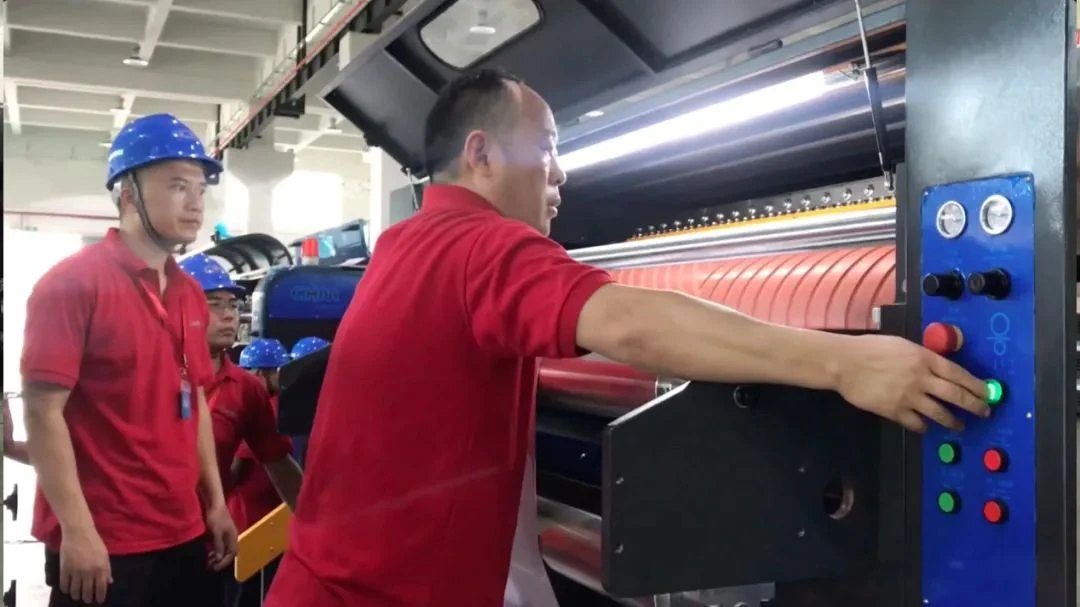
8. Turn on the main machine to slowly accelerate, and turn on the technical switch.
9. If there is wrinkled paper, it needs to be selected and the number of wrinkled paper is reduced at the paper reduction point on the operation panel. After the paper is fully qualified, turn on the paper stacking switch.
10. Accelerate normal production.
11. When cutting, observe the paper from front to back and left to right. If there is a weight problem, stop the machine in time to avoid loss.
12. Ensure the weight of the cut paper. When the machine is running, it is strictly forbidden to let go of the machine.
Fault problem analysis and solution
1. The paper cut out by the machine is correct. If the paper cut out is wrinkled, first check whether the brake pressure is correct.
• A small brake will wrinkle the paper;
• An oversized brake will also wrinkle the paper and make it shorter;
• The air pressure of the paper inlet roller is unbalanced.
Poor adjustment will also wrinkle the paper. Check in many aspects to find the cause, and the wrinkle problem will be solved.
2. The paper cut out by the machine is correct,but the cut paper is of different lengths;
• Check whether the air pressure source can reach the required air pressure;
• Check whether the brake pad air pipe is leaking, and whether the brake disc and brake pad are in normal contact and fit;
• Check whether the synchronous belt is loose or the toothed transmission shaft is seriously worn and jumping;
• Check whether the gear of the feeding belt knife is loose.
When all the air pressure, gears, drive shafts, and synchronous belts mentioned above have been checked and are normal, but the paper is still not long enough, you should consider checking whether the registration encoder is loose or stuck or inflexible. If so, replace the encoder with the same specification and model, and connect the wiring firmly according to the color. Usually 97% of slitting machines are pulse controlled, and the normal power supply voltage is also very important. If the grounding wire is good and there is no interference signal, the machine will not malfunction.
If you would like to know more details about paper sheeter machine and A4 copy paper cutting and packing machine,please contact us.
Email: chm007@szchm.com
Whatsapp:+8617371066702
CHM Machinery--double rotary blade paper sheeter machine:
https://www.chinapostprinting.com/cutting-machine/double-rotary-blade-paper-sheeter-machine/
CHM -SGT1400T Machine--dual rotary knife sheeter:
https://www.chinapostprinting.com/news/chm-sgt-1400t-dual-rotary-knife-sheeter-79187419.html
youtube --CHM A4-4 paper cutting and packing machine:
https://www.youtube.com/watch?v=mj8kIWgFq0I
CHM Machinery's company dynamics and information:
https://www.chinapostprinting.com/newslist-1
CHM products--paper sheeter machine:
https://www.chinapostprinting.com/cutting-machine/paper-cutting-machine/


